How do you build a classifieds website? Install a classifieds script on your own hosting, set up categories and listing fields for one niche, configure mail, cron, and moderation, seed real listings, then open the site to the public. With Osclass (free, about 7 MB, PHP and MySQL) the install takes minutes. The work is in the setup and the first listings.
How much does it cost to build a classifieds website? Osclass core is free. A small launch with a premium theme, paid listings, and card payments costs under 100 EUR in one-time licenses, plus hosting from a few dollars a month. Full breakdown below.
Can I build it without coding? Yes for a standard site. Installer, settings, categories, fields, themes, and plugins need no code. Custom features need a developer.
What about vertical sites? Category trees and field lists are in the car classifieds, real estate classifieds, and job board guides.
A classifieds website succeeds on listings and replies, not on the install: build categories and fields for one niche, seed real listings, and charge fees only after sellers get responses.
Launch work after install (seed listings, moderation, first 90 days) is in how to start a successful classifieds site.
Before theme polish, write down category depth, listing expiry and renewal, and what gets pre-moderated. Depth drives URLs. Expiry drives cron. Moderation drives support load. Practical baseline for most boards: 2-3 category levels, 30-60 day expiry, pre-moderation only in high-risk categories (jobs, real estate, services). Low-risk local goods can use report-based review so volume does not stall. Document custom fields before launch (vehicles: year, fuel, mileage; jobs: contract, salary; rentals: type, bedrooms) so filters stay useful. Vehicle taxonomy detail: car and vehicle classifieds guide.
Success still depends on seed inventory and a named moderator. Finish the eight launch steps on the launch guide before you buy ads against this install.
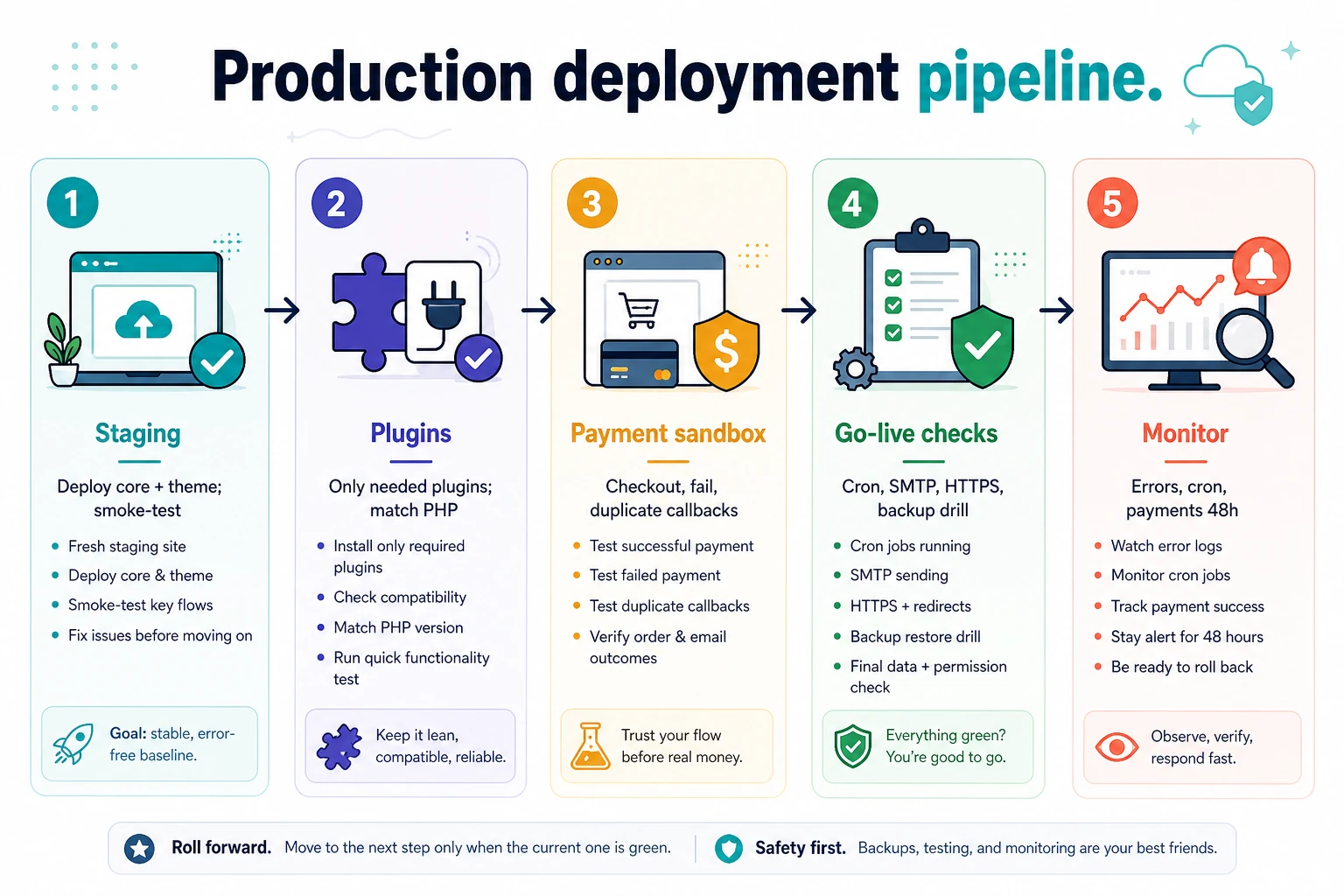
Osclass runs on ordinary LAMP. The core installer checks PHP 7.4+ (8.x recommended), CURL, MySQLi, GD, and writable oc-content folders. No Composer or Node build for a base install. With DB credentials ready, the browser wizard takes about 1-2 minutes after upload. Pin PHP and database versions and test plugins on the same PHP minor before production; current cores are fully compatible with PHP 8.5. Screenshots and stack comparison: installation guide.
Shared hosting is acceptable for early validation. Teams planning monetization should benchmark search, publish, and user dashboard pages under concurrency before locking infrastructure. Capacity detail: cloud vs VPS guide.
Osclass has no core license fee and no limit on listings, users, or domains. Prices below are OsclassPoint list prices checked in October 2026; re-check before you buy.
| Item | Typical cost | Notes |
|---|---|---|
| Osclass core | Free | Apache License 2.0. The Sigma theme ships in core. |
| Hosting | From a few dollars a month | Shared plans fit a new site; a VPS costs more. See hosting for Osclass. |
| Domain and SSL | Yearly domain fee | SSL is free on most hosts. |
| Premium theme (optional) | 21.99-39.99 EUR one-time | Free themes are also available on OsclassPoint. |
| Paid listings | 27.99 EUR (Osclass Pay) | Featured, move to top, highlight, publish fees, memberships. |
| Card or PayPal gateway | 15.99 EUR per gateway plugin | Stripe and PayPal install as separate plugins on top of Osclass Pay. |
| Other premium plugins | About 16-50 EUR each | Many plugins are free. Optional yearly renewal for updates and support is 35% of the price; the license does not expire. |
| Installation service (optional) | 59.99 EUR one-time | OsclassPoint installs the current release on your hosting. |
| Custom development | Quoted per project | Only for features no plugin covers. |
Example: a premium theme (39.99 EUR), Osclass Pay (27.99 EUR), and the Stripe gateway (15.99 EUR) come to 83.97 EUR one-time, plus hosting. After launch, the main cost is people: moderation, support replies, and testing updates. Payment gateways also take their own fee per transaction. Most overruns come from uncapped image storage and unpaid webhook states, not the hosting bill.
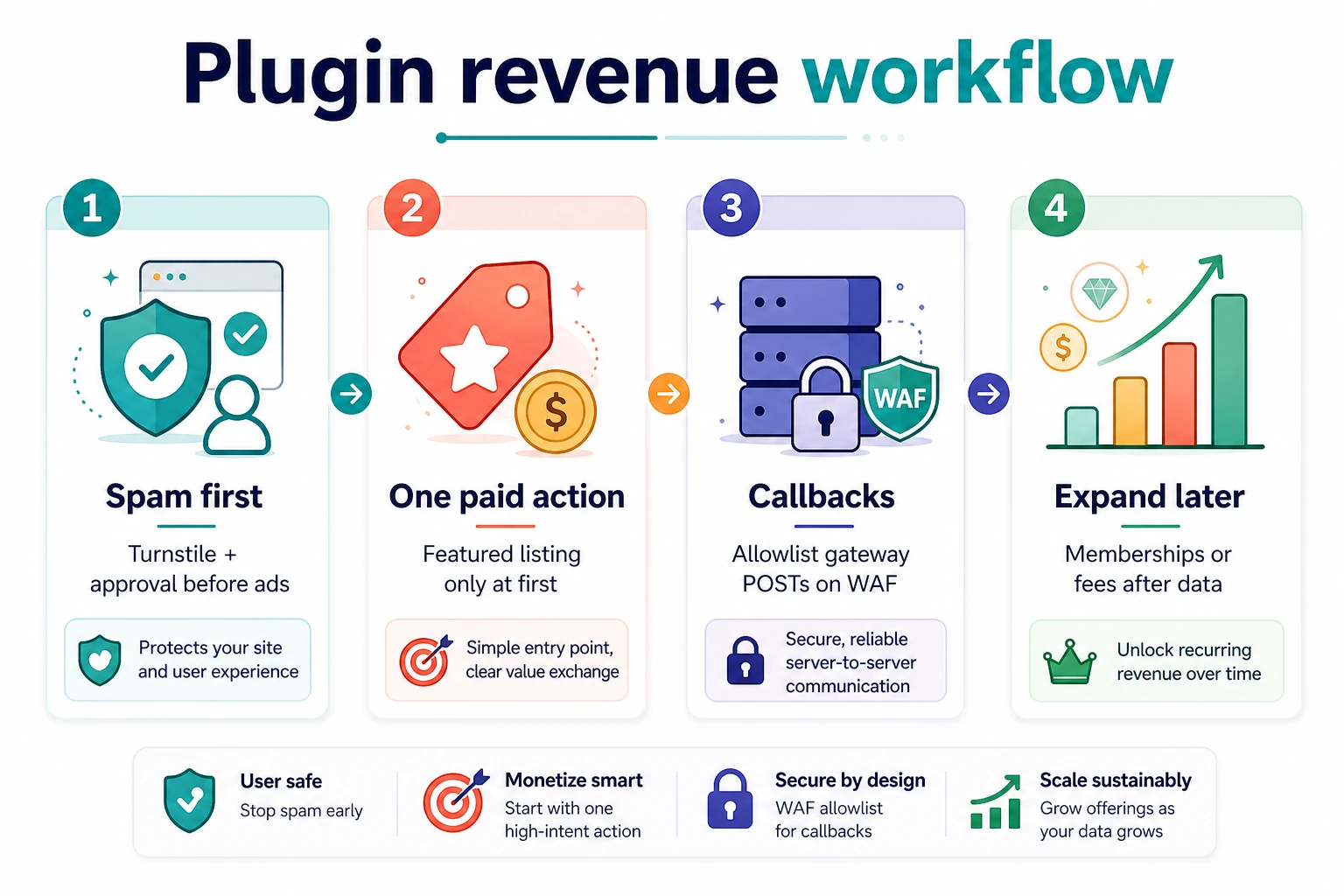
Treat payment, spam, and UX plugins as one workflow: labels, search ordering, and callback routes must agree. Spam before ads: Require Admin Approval, then Turnstile on registration and contact (disable core ReCaptcha when the plugin owns those forms). Allowlist payment callbacks on any WAF. Fee order, sandbox matrix, and Stripe/PayPal paths: monetization playbook. Hosting and cron: hosting guide.
Lock permalinks before campaigns. Prefer category and location landings with inventory; keep staging noindexed. Do not index stacked filter URLs that return near-empty sets. After domain or HTTPS moves, confirm category routes resolve once and that login/admin HTML is not cached as public.
Most incidents repeat. Keep a runbook and verify these first:
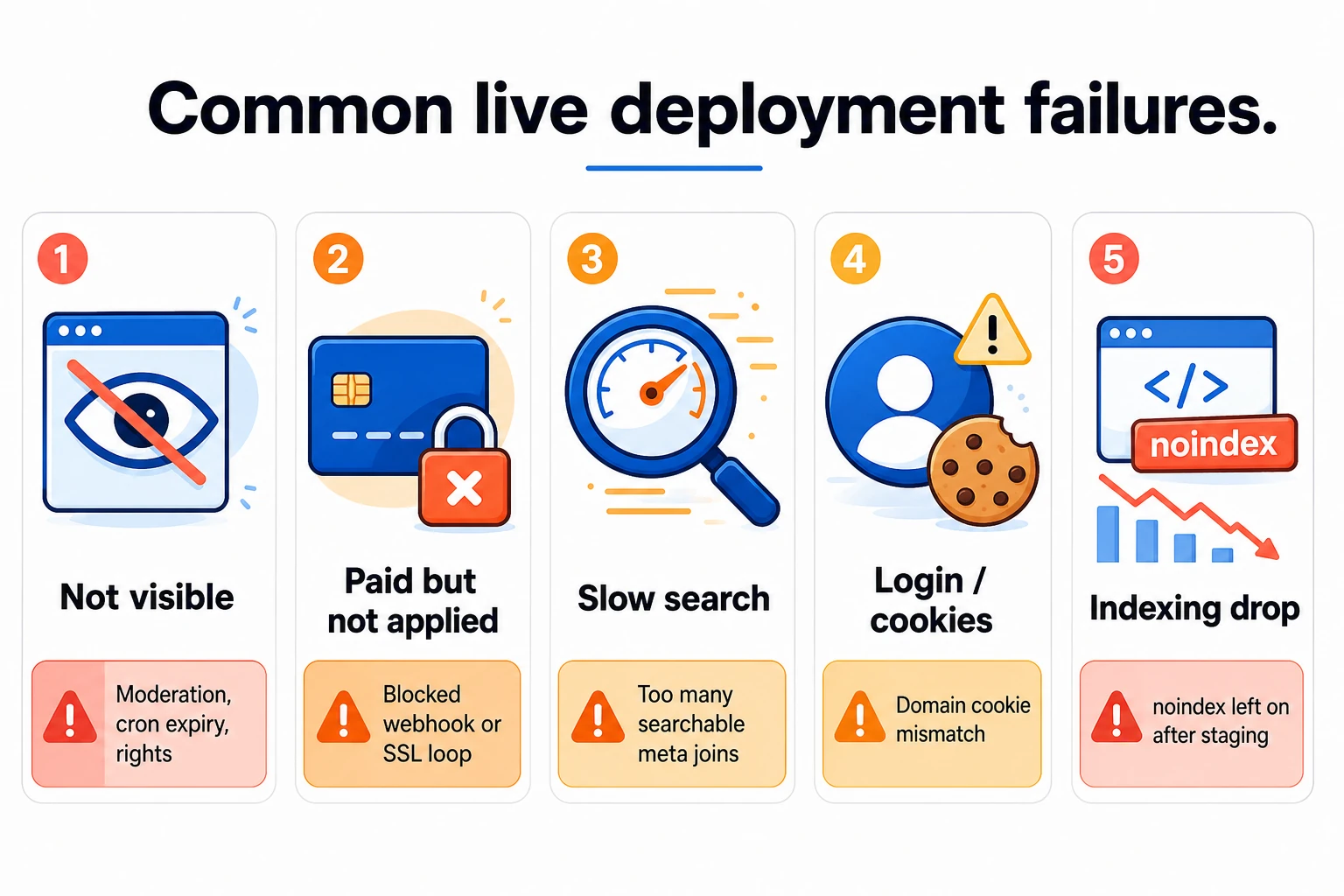
OSC_CACHE: architecture and hosting guides.After each incident, log issue, root cause, fix, and prevention. Repeated incidents are usually a process gap. For plugin or theme failures, reproduce on staging with a production DB clone before you change production.
Choose Osclass when classifieds is the product: small PHP core, translations, geolocation packs, no separate CMS host. Prefer WordPress or HivePress when editorial content already leads and listings are a module (HivePress stores listings as a CPT on WP_Query; Osclass uses oc_t_item). Prefer a framework build only when plugins cannot cover the workflow. Compare stacks on search latency, upgrade hours, and moderation time per 1,000 listings. Details: software comparison, vs WordPress, vs HivePress.
OsclassPoint has maintained the project since 2020 and ships the 8.x line with full PHP 8.5 compatibility. The 4.x to 8.0.0 jump avoided fork collisions; the renumbering is cosmetic. Advisory and install-base context: software comparison. Stay on current 8.x. Hook-based plugins from earlier years usually keep working when they avoid removed APIs. Back up first, wait for plugin catch-up, then flip PHP on staging.
Test upgrades on staging with a production DB clone: publish, search, registration, payment callbacks, and moderation. A human signs off login and payment paths before cutover. If a live site cannot move to current stable yet, older ZIPs with PHP ranges are on previous versions.
Monthly routine: restore one backup snapshot; review PHP and plugin compatibility; check cron, mail, and warning logs; audit stale categories and orphan media; skim Search Console after each release.
Keep rollback simple: last stable code tag, restorable DB snapshot, and documented cache purge. Before a major core bump, use maintenance mode (Tools > Maintenance or a root .maintenance file), confirm OC_ADMIN_FOLDER if you obscure the backoffice path, and smoke-test Market and payment admin URLs that must use osc_admin_base_url().

This article was last updated on 15. October 2026.