If you are asking how to start a successful online classifieds site, split the work: launch ops (niche, seed listings, moderation, fees) live in the start a successful classifieds site guide. This page is the production build path: hosting, plugins, URLs, breakages, and why a dedicated script often beats bolting classifieds onto WordPress.
Guides that stop at a theme install miss why live sites fail: moderation, listing quality, payment callbacks, or upgrades. Local job, vehicle, and rental boards usually hit that wall in the first 90 days. Vehicle taxonomy and attribute setup: car and vehicle classifieds guide. Osclass ships listings, categories, custom fields, accounts, and admin (~7 MB core, PHP and MySQL). You still set fees, moderation, staging releases, and search behavior as inventory grows past a few hundred ads.
Before theme polish, write down category depth, listing expiry and renewal, and what gets pre-moderated. Depth drives URLs. Expiry drives cron. Moderation drives support load. Practical baseline for most boards: 2-3 category levels, 30-60 day expiry, pre-moderation only in high-risk categories (jobs, real estate, services). Low-risk local goods can use report-based review so volume does not stall. Document custom fields before launch (vehicles: year, fuel, mileage; jobs: contract, salary; rentals: type, bedrooms) so filters stay useful. Vehicle taxonomy detail: car and vehicle classifieds guide.
Success still depends on seed inventory and a named moderator. Finish the eight launch steps on the launch guide before you buy ads against this install.
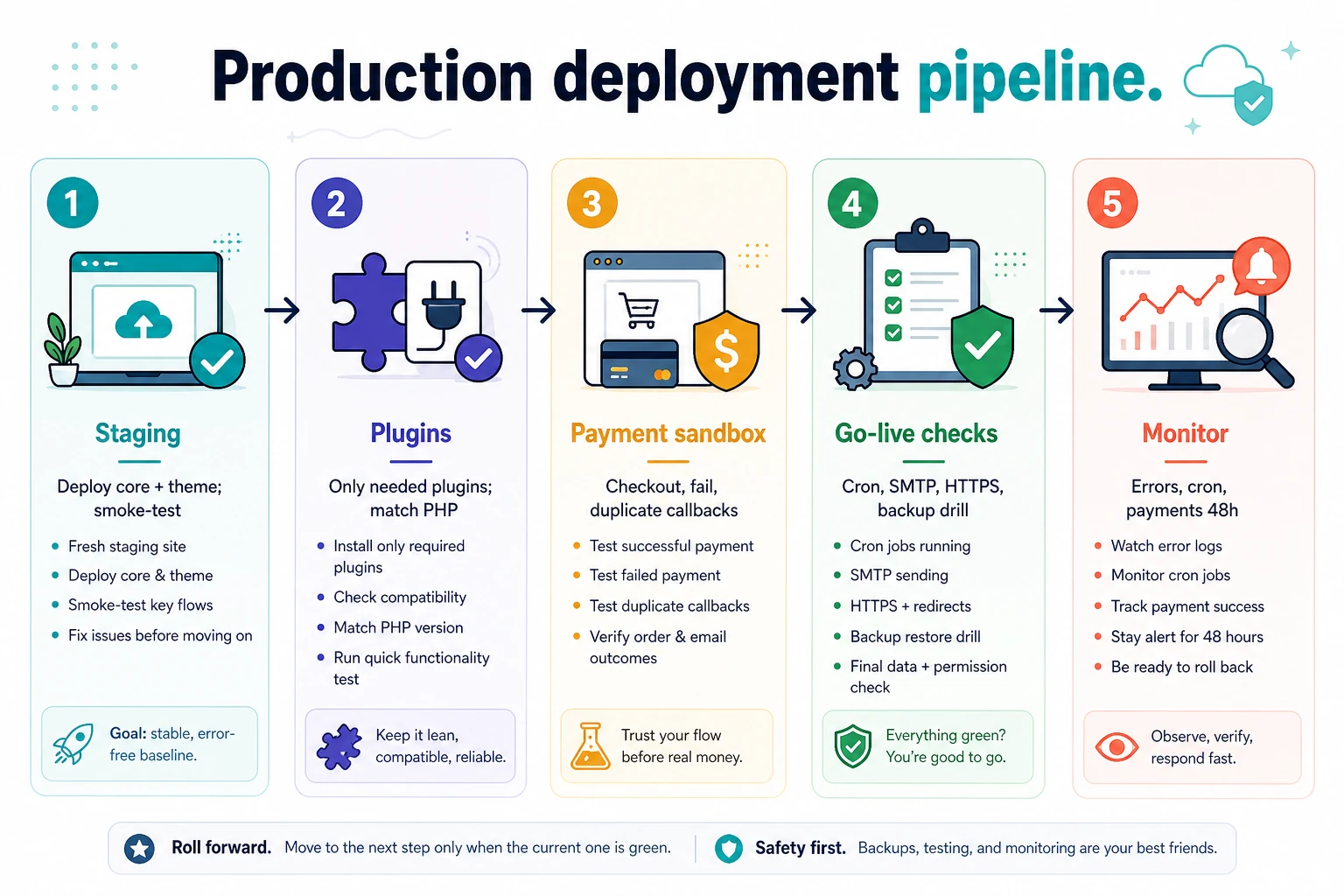
Osclass runs on ordinary LAMP. The core installer checks PHP 7.4+ (8.x recommended), CURL, MySQLi, GD, and writable oc-content folders. No Composer or Node build for a base install. With DB credentials ready, the browser wizard is typically about 1-2 minutes after the ~7 MB ZIP is uploaded. Pin PHP and database versions and test plugins on the same PHP minor before production. PHP 8.1+ is a sensible target if your plugins support it; current cores are fully compatible with PHP 8.5 when that is the host target. Screenshots and stack comparison: installation guide.
Shared hosting is acceptable for early validation. Teams planning monetization should benchmark search, publish, and user dashboard pages under concurrency before locking infrastructure. Capacity detail: cloud vs VPS guide.
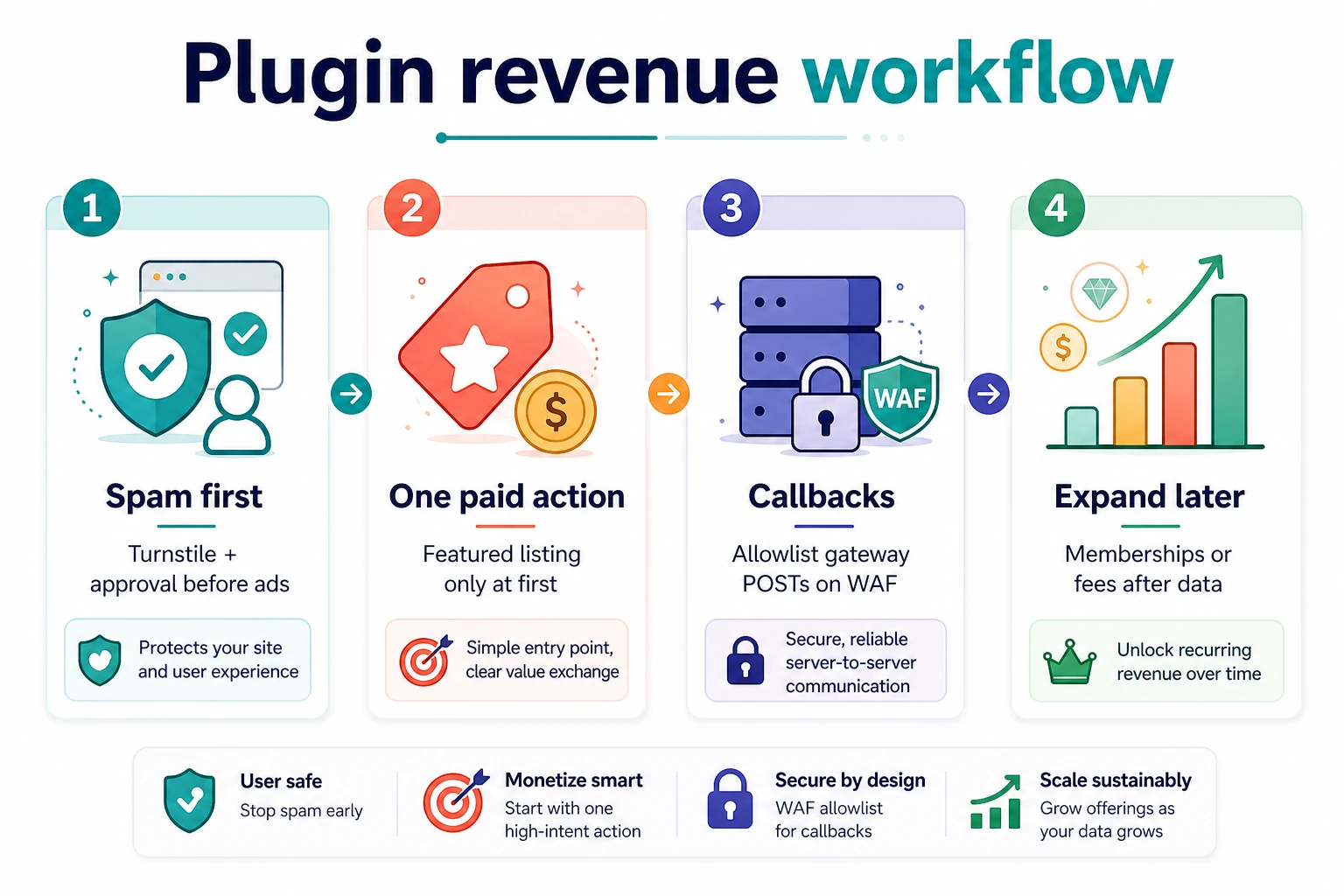
Osclass has no core license fee. Budget hosting, domain, SSL, SMTP, and backups, then theme/plugins/QA, then ongoing moderation and abuse response. Most overruns come from uncapped image retention, unexplained gateway fees, and unpaid webhook states, not the VPS quote. Plan a monthly ops floor (hosting + mail + one moderation shift) before you add paid listing plugins.
Treat payment, spam, and UX plugins as one workflow: labels, search ordering, and callback routes must agree. Spam before ads: Require Admin Approval, then Turnstile on registration and contact (disable core ReCaptcha when the plugin owns those forms). Allowlist payment callbacks on any WAF. Fee order, sandbox matrix, and Stripe/PayPal paths: monetization playbook. Hosting and cron: hosting guide.
Lock permalinks before campaigns. Prefer category and location landings with inventory; keep staging noindexed. Do not index stacked filter URLs that return near-empty sets. After domain or HTTPS moves, confirm category routes resolve once and that login/admin HTML is not cached as public.
Most incidents repeat. Keep a runbook and verify these first:
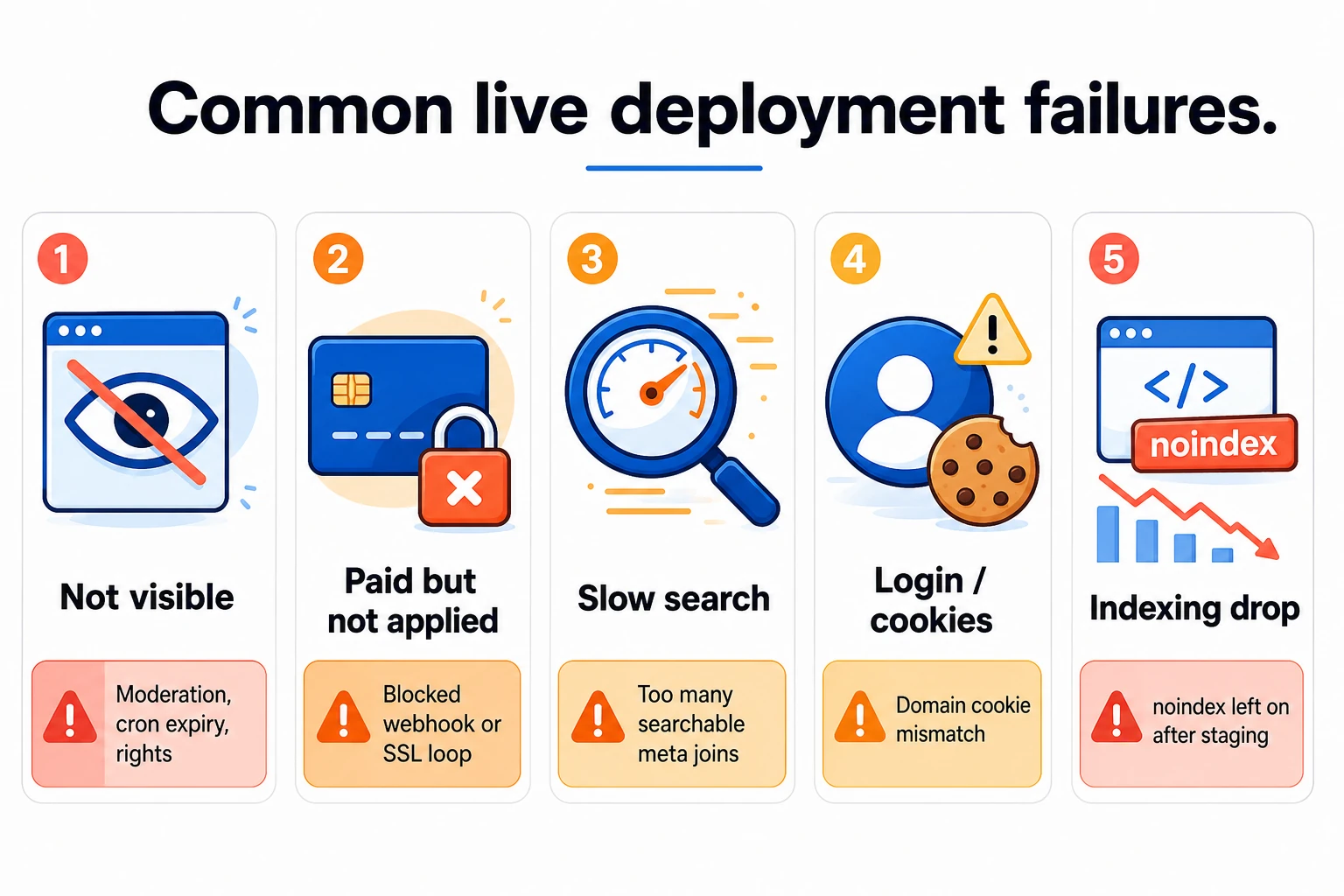
OSC_CACHE: architecture and hosting guides.After each incident, log issue, root cause, fix, and prevention. Repeated incidents are usually a process gap. For plugin or theme failures, reproduce on staging with a production DB clone before you change production.
Choose Osclass when classifieds is the product: small PHP core, translations, geolocation packs, no separate CMS host. Prefer WordPress or HivePress when editorial content already leads and listings are a module (HivePress stores listings as a CPT on WP_Query; Osclass uses oc_t_item). Prefer a framework build only when plugins cannot cover the workflow. Compare stacks on search latency, upgrade hours, and moderation time per 1,000 listings. Details: software comparison, vs WordPress, vs HivePress.
OsclassPoint has maintained the project since 2020 and ships the 8.x line with full PHP 8.5 compatibility. The 4.x to 8.0.0 jump avoided fork collisions; the renumbering is cosmetic. Advisory and install-base context: software comparison. Stay on current 8.x. Hook-based plugins from earlier years usually keep working when they avoid removed APIs. Back up first, wait for plugin catch-up, then flip PHP on staging.
Test upgrades on staging with a production DB clone: publish, search, registration, payment callbacks, and moderation. A human signs off login and payment paths before cutover. If a live site cannot move to current stable yet, older ZIPs with PHP ranges are on previous versions.
Monthly routine: restore one backup snapshot; review PHP and plugin compatibility; check cron, mail, and warning logs; audit stale categories and orphan media; skim Search Console after each release.
Keep rollback simple: last stable code tag, restorable DB snapshot, and documented cache purge. Before a major core bump, use maintenance mode (Tools > Maintenance or a root .maintenance file), confirm OC_ADMIN_FOLDER if you obscure the backoffice path, and smoke-test Market and payment admin URLs that must use osc_admin_base_url().

This article was last updated on 2. October 2026.